Using the Map for Group bookings
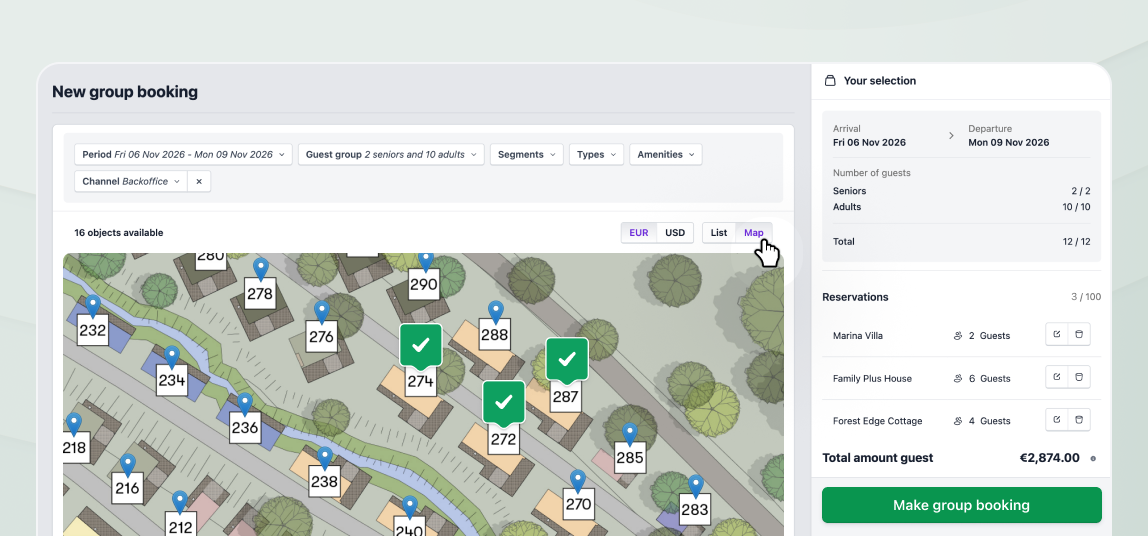
Creating group bookings in the back office made easier: use the map view to select multiple objects.
You can now switch to a map view when creating group bookings in the back office. Selecting markers places multiple objects directly into the reservation.
Toggle in the group booking creation page
The group booking creation page now features the same toggle you already have for single reservations. Use it to switch between the list view and an interactive map view.
Set the date filters to show only the available objects for your guests.
Click multiple markers to add these specific objects directly to the booking selection.
Click an already selected marker to remove this object from the selection.